How to Use Your Dashboard
Get an overview of your events, sales, and important metrics.
What you'll learn in this guide
Follow these steps to master how to use your dashboard. Each step includes detailed instructions and screenshots.
Log in to Bilbaro Start
Go to your organizer dashboard and log in with your credentials. Open your browser and navigate to bilbaro.com/login. Enter your email address and password. If you forgot your password, click "Forgot Password" to reset it. After successful login, you will be taken to your personal organizer dashboard where you can manage all your events.
Understand Your Dashboard
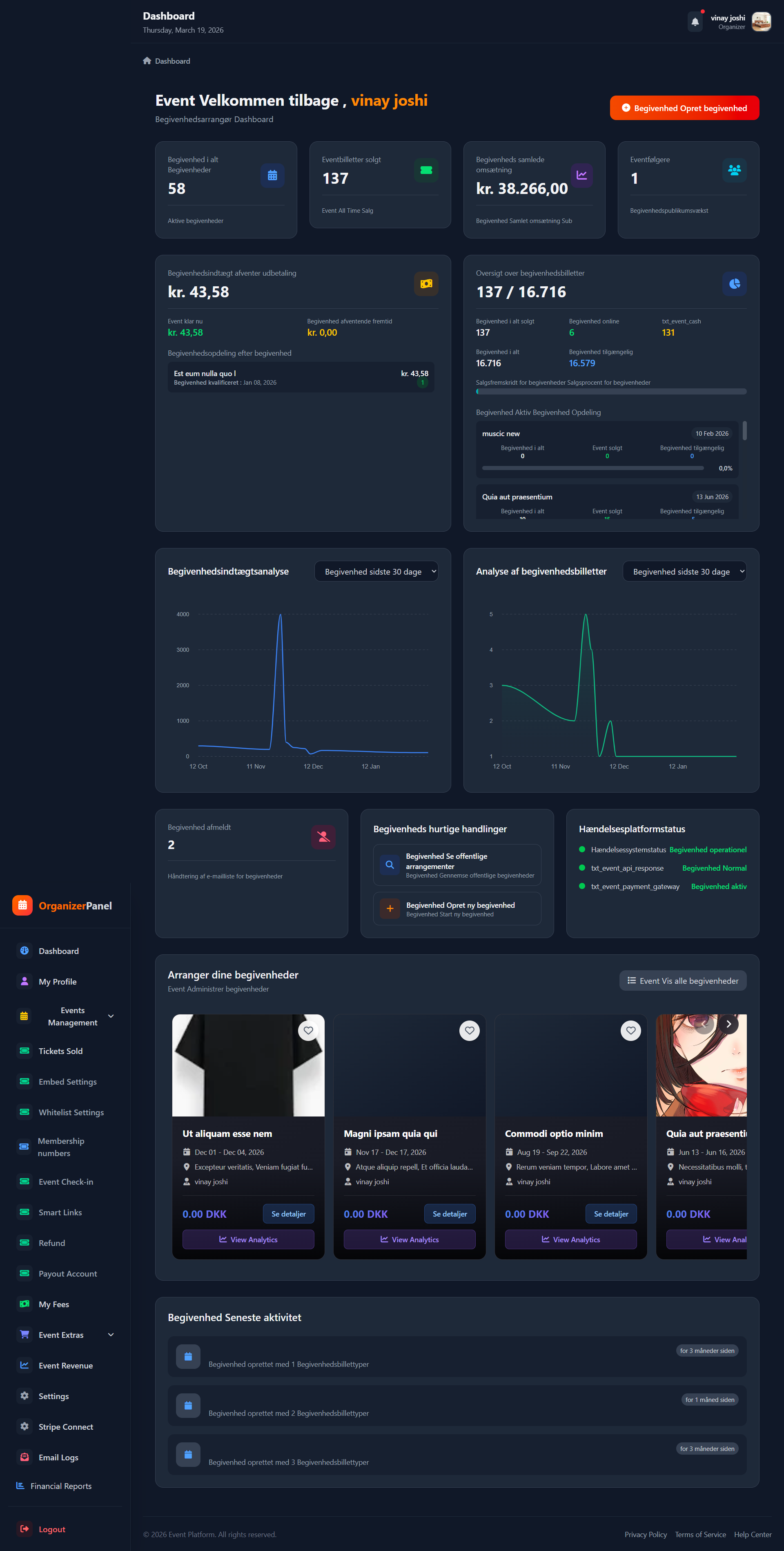
The dashboard shows your active events, total sales, and recent activities. At the top of the dashboard, you will see key metrics including: Active Events - Number of published events available for sale, Total Sales - Total number of tickets sold across all your events, Total Revenue - Total earnings before fees, New Customers - Number of new customers who purchased tickets in the recent period. In the middle, you will find a graphical representation of your sales over time. You can choose to view data for 7 days, 30 days, or the entire period. At the bottom of the dashboard, you will see a list of your recent bookings with details like customer name, ticket type, quantity, and total amount.
Navigate the Menu
Use the left sidebar to access Events, Tickets, Reports, and Settings. ๐ Dashboard - Your starting point with sales and activity overview. ๐ Events - Create, edit, and manage your events. ๐๏ธ Tickets Sold - View detailed overview of all sold tickets. ๐ณ Payout - Check your payouts and connect Stripe account. ๐ Revenue - Analyze your earnings per event. โ๏ธ Settings - Customize your account settings and profile. Each menu opens a new page with specific tools to help you manage your event business efficiently.
๐ Congratulations!
You've completed the guide for How to Use Your Dashboard. If you have questions, please contact our support.
๐ข Was this article helpful?
Still have questions?
Our support team is ready to help you 24/7